Skip to content

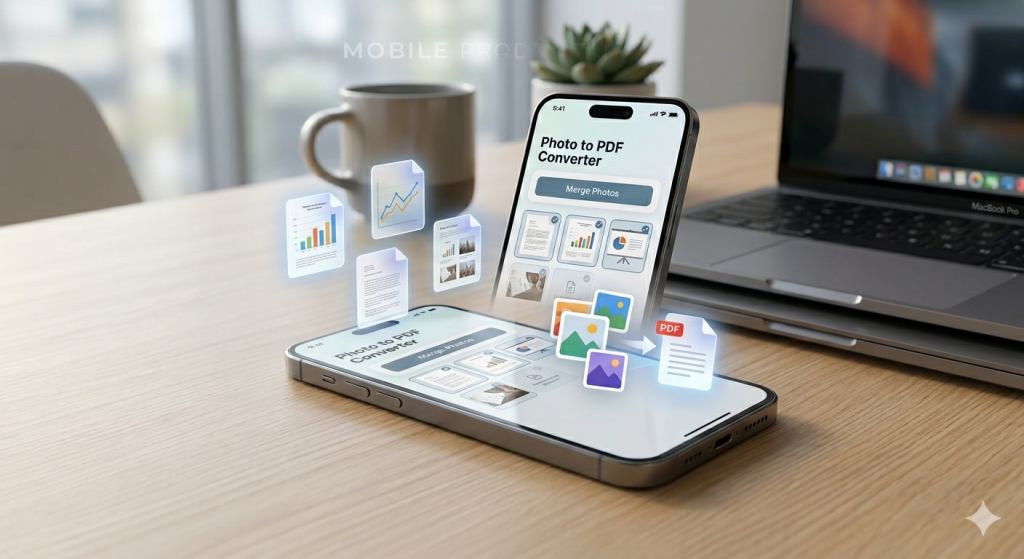
In today’s fast-moving digital world, document handling has become a daily necessity for students, professionals, freelancers, and businesses. Whether it’s scanning receipts, sharing assignments, saving invoices, or organizing business documents, the need for a fast and reliable PDF creation tool is greater than ever.
That’s where the mobile application Image to PDF Converter & Maker comes in. Available on Android, this powerful yet simple app allows users to convert images into high-quality PDF files instantly—without watermarks, internet dependency, or complicated processes.
You can download it directly here:
Download Image to PDF Converter & Maker on Google Play
This article explores the features, benefits, use cases, and real-world value of this app in detail, along with why it stands out among thousands of PDF tools available today.
What is Image to PDF Converter & Maker?
Image to PDF Converter & Maker is a lightweight Android application designed to convert images (JPG, PNG, photos, scanned documents) into professional PDF files in just a few taps.
Unlike many complicated document tools, this app focuses on speed, simplicity, and offline usability. It allows users to create structured PDF documents directly from their smartphone without needing a desktop or internet connection.
Whether you’re scanning handwritten notes or converting business documents, this app ensures clean, organized, and share-ready PDF output.
Why This App Matters in 2026
We live in a mobile-first world where smartphones are replacing traditional computers for everyday tasks. People no longer want heavy software or complex tools. Instead, they prefer:
- Fast performance
- Offline functionality
- Clean user experience
- Secure file handling
- Free or low-cost solutions
Image to PDF Converter & Maker checks all these boxes, making it a practical tool for:
- Students submitting assignments
- Office workers managing reports
- Freelancers sending invoices
- Businesses handling documents
- Travelers scanning IDs or receipts
Key Features of Image to PDF Converter & Maker
1. Image to PDF Conversion (Core Feature)
The main function of the app is converting images into PDF files instantly. Users can select multiple images and combine them into a single structured PDF document.
Perfect for:
- Notes
- Receipts
- Certificates
- Forms
- ID cards
- Business documents
The output is clean, compressed, and professional-looking.
2. Photo to PDF Using Camera or Gallery
You don’t need pre-existing images. The app allows:
- Direct camera scanning
- Gallery selection
- Instant conversion
This makes it extremely useful for real-time document scanning, especially in offices or classrooms.
3. Batch Conversion Support
Instead of converting images one by one, users can:
- Select multiple images
- Arrange them in order
- Convert everything into a single PDF
This is ideal for long documents like reports or lecture notes.
4. Built-in Editing Tools
Before converting, users can:
- Crop images
- Rotate pages
- Resize content
- Adjust alignment
This ensures every PDF looks clean and professional.
5. Offline PDF Creation
One of the strongest advantages is that it works 100% offline. No internet connection is required.
Benefits include:
- Faster processing
- Better privacy
- No file uploads
- Secure document handling
6. No Watermark Policy
Unlike many free apps, this tool does not add watermarks to your PDFs. That makes it ideal for:
- Business documents
- Academic submissions
- Client reports
Your output remains clean and professional.
7. File Management System
The app also works as a mini document manager:
- View created PDFs
- Sort files ascending/descending
- Delete unwanted files
- Open PDFs in any viewer
This keeps your storage organized and easy to navigate.
8. Easy Sharing Options
Sharing is seamless. You can send PDFs via:
- Bluetooth
- Social media apps
This makes collaboration and communication fast and efficient.
Who Should Use This App?
Students
Students can convert:
- Class notes
- Assignments
- Handwritten lectures
- Project documents
All into clean PDFs for submission.
Professionals
Office workers can scan:
- Reports
- Meeting notes
- Contracts
- Receipts
And share them instantly with colleagues.
Freelancers
Freelancers can use it for:
- Invoices
- Client deliverables
- Project documentation
It helps maintain a professional workflow.
Small Businesses
Businesses can manage:
- Billing records
- Product catalogs
- Customer documents
Without investing in expensive software.
How to Use the App
Using Image to PDF Converter & Maker is extremely simple:
- Open the app
- Tap the “+” button
- Select images or capture photos
- Crop or edit if needed
- Convert to PDF
- Save or share instantly
Within seconds, your PDF is ready.
Performance and User Experience
The app is designed for speed and simplicity. Even on low-end Android devices, it performs smoothly without lag.
Key strengths:
- Lightweight size
- Fast conversion engine
- Clean interface
- Easy navigation
This makes it accessible for users across different device ranges.
Security & Privacy
Privacy is a major concern in document apps. This app ensures:
- No cloud uploads
- No external data sharing
- Only local storage access
- Camera permission for scanning only
Your files remain on your device at all times.
Advantages Over Other PDF Apps
Many PDF converter apps come with limitations such as:
- Watermarks
- Paid subscriptions
- Internet dependency
- Slow processing
But Image to PDF Converter & Maker eliminates these issues by offering:
✔ Free usage
✔ Offline functionality
✔ No watermark output
✔ Fast conversion
✔ Simple interface
This makes it a strong competitor in the mobile productivity category.
Real-World Use Cases
Example 1: Student Assignment Submission
A student takes photos of handwritten notes and converts them into a single PDF before submitting online.
Example 2: Office Expense Reports
An employee scans receipts and creates a monthly expense PDF for reimbursement.
Example 3: Freelancer Invoice Sharing
A freelancer generates a professional invoice PDF and sends it directly to clients.
Example 4: Business Document Handling
A shop owner scans product invoices and stores them digitally for record-keeping.
Why You Should Download It
If you frequently deal with documents, images, or scanning tasks, this app can significantly improve your productivity.
You get:
- Faster workflow
- Better organization
- Professional output
- Mobile convenience
Download it here:
Get Image to PDF Converter & Maker on Google Play
Final Verdict
Image to PDF Converter & Maker is a simple yet powerful Android tool that solves one of the most common digital needs—turning images into clean, organized PDF files.
With its offline functionality, no watermark policy, fast processing, and user-friendly design, it stands out as a must-have productivity app for 2026.
Whether you’re a student, professional, or business owner, this app provides everything you need to manage documents efficiently on the go.